You just clicked a link from a tweet that looked legit. You connected your MetaMask or Phantom wallet, signed a transaction that said "Approve," and within seconds, your entire balance vanished. No error message. No warning. Just silence and an empty account. This isn't bad luck; it's a targeted hit by fake wallet apps and phishing sites designed specifically to drain digital assets.
The stakes here are different than traditional banking. If you get scammed with a credit card, the bank can reverse the charge. In crypto, transactions are irreversible. Once those tokens leave your wallet, they're gone forever unless you have legal recourse against a known entity, which is rare in decentralized finance. Understanding how these scams work is no longer optional-it's a survival skill for anyone holding more than a few dollars in digital currency.
Why Fake Wallets Are More Dangerous Than Regular Phishing
Traditional phishing usually tries to steal your username and password. Crypto phishing goes straight for the jugular: your private key or seed phrase. Or worse, it tricks you into signing a malicious smart contract that grants unlimited spending permission on your tokens.
Attackers know that most users don't read the fine print of a smart contract approval. They see a familiar interface-maybe it looks exactly like Uniswap or OpenSea-and click "Confirm." That single click can authorize a hacker to move every USDC or ETH you own. According to Chainalysis, billions of dollars are lost to crypto theft annually, with phishing and fake dApps accounting for a massive chunk of that total. The sophistication has ramped up since 2017. We aren't dealing with poorly spelled emails anymore. We're seeing cloned websites with pixel-perfect designs, fake mobile apps that mimic official interfaces, and even deepfake videos of support agents.
Consider the January 2024 incident involving Mandiant’s X account. Hackers hijacked the cybersecurity firm's profile to impersonate Phantom Wallet. They posted a link for a fake $PHNTM token airdrop. Because the source was trusted (a major security company), thousands clicked. The result? Approximately $900,000 in Solana assets were drained. This proves that even savvy users fall for social engineering when the context feels right.
The Anatomy of a Fake Wallet App
Fake wallet applications are particularly insidious because they often live in official app stores. Attackers publish a new app, pay for initial positive reviews, and rank high in search results for terms like "Bitcoin Wallet" or "Solana Wallet." When you download it, the UI looks identical to the real thing. You enter your recovery phrase during setup, thinking you're restoring your existing wallet. In reality, you've just handed your master key to the attacker's server.
These apps operate in two main ways:
- Credential Harvesting: The app asks for your seed phrase or private key immediately upon launch. Legitimate wallets generate keys locally on your device; they never ask you to type them in after installation unless you are explicitly importing an old wallet. If a new app asks for your seed phrase before you've even created an account, run away.
- Transaction Manipulation: Some fake wallets let you deposit small amounts and withdraw them easily to build trust. Then, when you load a larger sum, the withdrawal button fails, or the app disappears entirely, taking your funds with it.
A study noted in Wikipedia’s phishing analysis highlights a troubling trend: susceptibility varies by age but remains persistent. While younger users (18-25) might learn quickly, older demographics show higher rates of clicking simulated phishing links over time. This suggests that experience alone doesn't always protect you if the threat vector changes.
Spotting the Red Flags in Phishing Sites
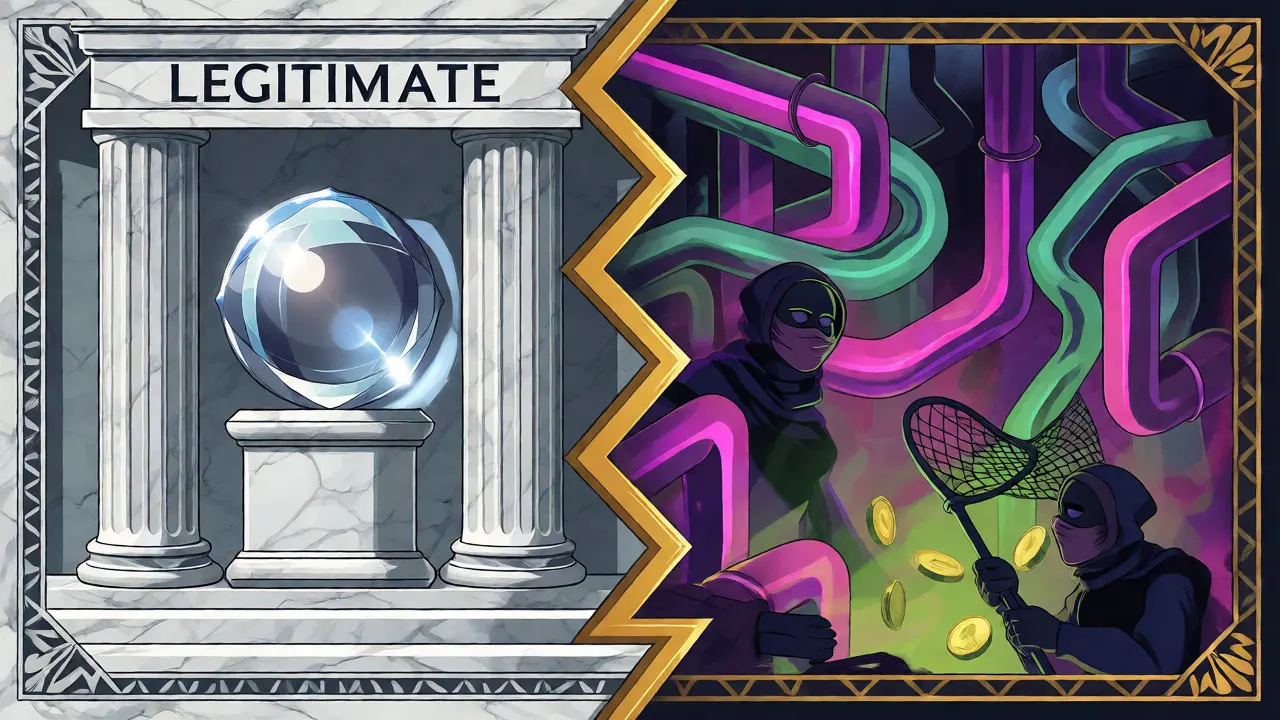
Phishing sites rely on visual mimicry and URL obfuscation. Here is how to break down the deception:
| Feature | Legitimate Site/App | Phishing/Fake Site |
|---|---|---|
| URL Structure | Exact match (e.g., metamask.io) | Subtle typos (e.g., metamask.io-login.com, meta-mask.io) |
| HTTPS Lock Icon | Present, valid certificate | Present (hackers use free SSL certs now too) |
| Seed Phrase Request | Only shown once at creation or explicit import | Asked repeatedly or during random pop-ups |
| Support Contact | Email only, no DMs first | Live chat, WhatsApp, Telegram DMs initiating contact |
| App Source | Official website link or verified store badge | Sponsored ads, unofficial APK files, generic names |
Don't rely on the green padlock icon. It just means the connection is encrypted, not that the site is trustworthy. A phishing site can easily buy an SSL certificate. Always check the domain name character by character. Look for homoglyph attacks where letters like 'l' are replaced with 'I' or numbers replace similar-looking letters (e.g., '0' for 'O').
Another common tactic is the "Pig Butchering" scam, often facilitated by fake trading platforms. Scammers spend weeks building rapport via dating apps or social media. They introduce you to a "exclusive" investment platform that looks professional. You invest, see fake profits grow, and try to withdraw. Initially, small withdrawals work. Then, you invest your life savings, and suddenly there are "tax fees" or "verification costs" to unlock your money. These platforms are often front-end shells with no real backend liquidity.
The Mechanics of Smart Contract Drainers
Even if you use a legitimate wallet, you can still get drained through a malicious dApp. This happens via smart contract approvals. When you interact with a DeFi protocol, you often sign a transaction that approves the contract to spend your tokens. Many users blindly approve "Unlimited" allowances to save gas fees later.
If that contract is malicious-or if the protocol gets hacked-the attacker can instantly sweep all approved tokens from your wallet. Tools like Revoke.cash allow you to review and revoke these permissions regularly. Think of it like giving someone a blank check. If you give a stranger a blank check signed by you, they can write any amount. Revoking permissions is simply tearing up the unused checks.
Malware plays a role here too. Keyloggers installed via fake browser extensions can copy your clipboard. If you copy your receiving address and paste it, a background script might swap it for the attacker's address in the milliseconds before you confirm the send. This is why verifying addresses visually on your hardware wallet screen is critical.
Practical Defense Strategies
So, how do you stay safe without becoming paranoid? You need a layered approach. Education is part of it, but process is better.
- Bookmark Everything: Never navigate to your exchange or wallet provider via Google Search results. Ads and SEO manipulation mean the top result is often a scam. Bookmark the official URLs and use those exclusively.
- Verify App Developers: On iOS and Android, check the developer name. For MetaMask, it should be "Consensys Software Inc." Not "MetaMask Team," not "Blockchain Labs." Also, look at the number of downloads and recent reviews. Sudden spikes in 5-star reviews with generic text are suspicious.
- Use Hardware Wallets for Significant Holdings: If you hold more than you can afford to lose, keep it on a cold storage device like Ledger or Trezor. Even if you connect to a phishing site, you must physically press a button on the device to approve transactions. This breaks the remote attack chain.
- Burner Wallets for New DApps: Trying a new NFT mint or DeFi protocol? Use a fresh wallet with only enough funds for gas and the transaction. Keep your main treasury separate.
- Never Share Your Seed Phrase: Support teams will never ask for your 12 or 24-word recovery phrase. Ever. If someone DMs you claiming to be support and asks for it, block them.
Be wary of unsolicited communication. Legitimate projects rarely reach out to individual users via direct message on Twitter or Discord to offer "security upgrades" or "airdrops." Most of these are bots or human scammers targeting active wallets.
The Future of Crypto Security Threats
The arms race isn't slowing down. As AI tools become cheaper, we are seeing more sophisticated phishing attempts. Deepfake audio and video are being used to verify fake support calls. Imagine getting a video call from what looks like your exchange CEO, asking you to verify a transaction. With AI-generated avatars, this is becoming feasible.
Regulatory frameworks may eventually force stricter verification for app developers and exchanges, but that takes time. Until then, the burden falls largely on the user. The good news is that wallet providers are improving UX. Features like "simulation" (showing you exactly what will happen to your balances before you sign) are becoming standard in wallets like Rabby and MetaMask.
Stay skeptical. If it sounds too good to be true, it probably involves a smart contract that owns your assets. Verify, double-check, and keep your long-term holdings offline.
Can I recover my crypto if I sent it to a fake wallet?
Generally, no. Cryptocurrency transactions are immutable. Once confirmed on the blockchain, they cannot be reversed by the network. Recovery is only possible if law enforcement tracks the funds to an identifiable exchange and freezes the account, which requires quick reporting and cooperation.
Are fake apps found in the Apple App Store and Google Play Store?
Yes. While both stores have review processes, scammers frequently slip through by using generic names, buying initial reviews, or updating the app after approval to change its function. Always verify the developer name and cross-reference with the official project website.
What is a "wallet drainer"?
A wallet drainer is a malicious smart contract or dApp that requests a specific permission (approval) from your wallet. Once granted, the drainer can automatically transfer all eligible tokens from your wallet to the attacker's address without further confirmation from you.
Does using a hardware wallet prevent all phishing attacks?
It prevents remote theft of private keys, as the keys never leave the device. However, it does not prevent you from approving a malicious transaction if you misread the prompt on the device screen. You must still verify the destination address and amount displayed on the hardware wallet itself.
Why do phishing sites have HTTPS certificates?
HTTPS encrypts data between your browser and the site. It does not verify the identity of the site owner. Scammers can easily purchase free SSL certificates from providers like Let's Encrypt, so the presence of a lock icon indicates encryption, not legitimacy.